Goes quiet when you are on a call
Klyqo notices when any app is using your microphone and falls silent, then comes back by itself. It never opens your microphone.

Klyqo for macOS
Klyqo turns your keyboard into an instrument. 36 recorded sounds and 10 original voices, tuned to you, that follow you through your Mac and go quiet when you are on a call.
macOS 14 or later · Apple silicon and Intel · Private by design · Download Klyqo · Install guide
any keyYour keyboard already works on this page. Just start typing.Counting thocks…
Loading the sound…
01The library
Smooth linears, soft tactiles, sharp clicks and whole keyboards recorded key by key. Click any sound to hear it, and it becomes the one you type with above.
Every sound. Click a sound to hear it; it becomes the sound you type with above.
Want a closer look? Browse every sound on its own page, or read the changelog and roadmap.
02Try it
A thirty-second typing test with the sound you chose. What you type stays in this tab and is gone when you leave.
Type to hear it
Lagoon · Linear
Loading the sound…
03Yours alone
Type anywhere on this page and your totals build up here: keys pressed, your best speed from the typing test and the sound you keep coming back to. They live only in this browser, and nothing is sent anywhere.
04Everyone, right now
Every dot is a city where someone typed on this page, coloured by the kind of sound they picked. New thocks ripple in as they land. Cities only, nothing more precise.
… thocks all time
0 cities on the map
No dots yet. Type anywhere on this page to put the first one here.
Latest
Waiting for the first thock.
06The app
Hover a sound in the panel to hear it, click to keep it, flip a switch. It behaves like the app.
Hover a sound to hear it. Click to keep it.
Now playing
Lagoon
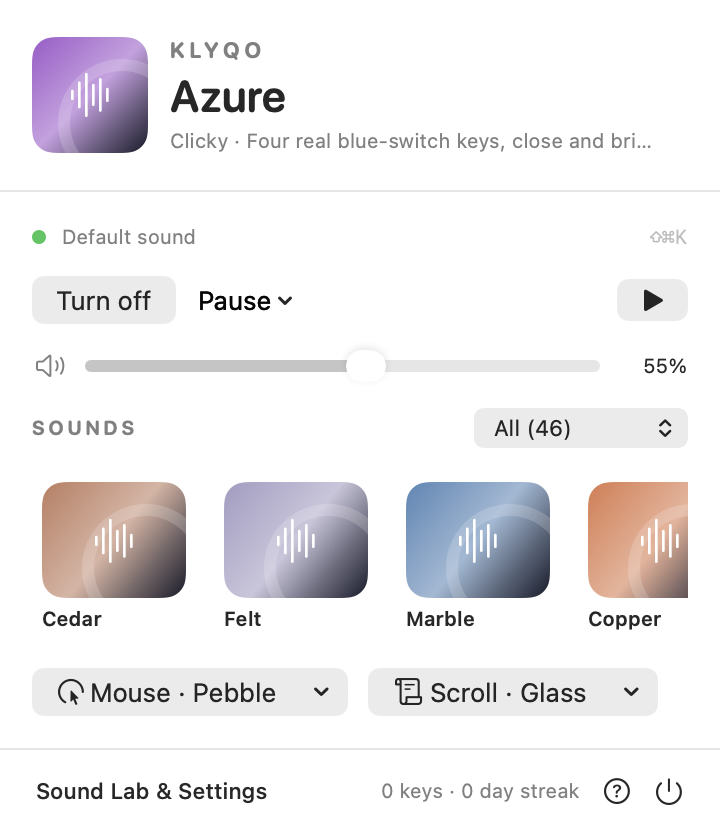
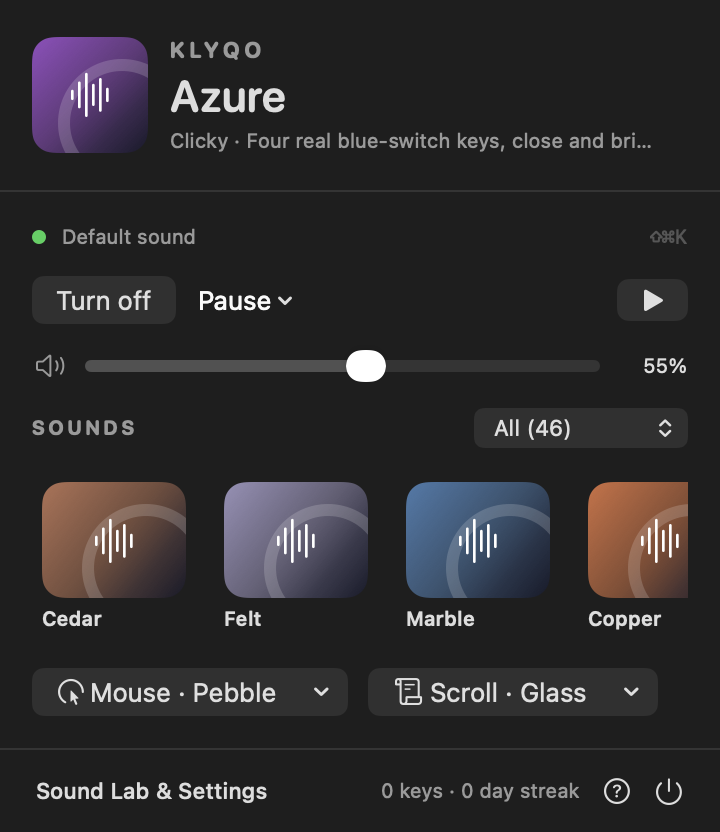
That is the real panel, working. Below, the studio in light and dark, with real screens from the app.
Switch sounds with a hover preview, set the level, pause for a while, and see at a glance whether Klyqo is playing or quiet, and why.
07What it does
Beautiful sound is the start. Klyqo also stays out of your way, respects your privacy and lets you make it your own.
Klyqo notices when any app is using your microphone and falls silent, then comes back by itself. It never opens your microphone.
Password fields and secure input never make a sound, and nothing you type is saved.
Tap your keys while Klyqo listens. It finds every press and release and builds a sound pack that stays on your Mac.
Level, warmth, presence and stereo space work on recorded sounds too, so a sound can be exactly yours.
Give an app or an audio output its own sound, or silence it.
A recap, a twelve-week heatmap and your busiest hours, from totals only.
Make a card of your week on your Mac. It shows totals, never keys.
Optional recorded mouse clicks and scroll ticks, each with its own sound and level, and a separate on and off.
08How it works
01
Preview any sound here or in the app before you decide. No permission is needed to listen.
02
Give Klyqo read-only access to key presses. It cannot change or block anything you type.
03
Every app gets the sound you picked, or the one you assigned it. Calls and secure fields stay quiet.
macOS asks once, in its own words, before Klyqo can hear your keys in other apps. It is read-only: Klyqo cannot change, block or keep what you type. You can preview every sound first without granting anything, and turn the permission off any time in Privacy & Security.
“Klyqo” would like to receive keystrokes from any application.
Klyqo plays a sound when a key goes down. It listens only. It never changes or stores what you type.
Privacy & Security › Input Monitoring
09Pricing
Start with a free 3-day trial key. If Klyqo becomes yours, one payment unlocks it on two Macs, with no subscription.
Free trial
3days, free
Try everything before you decide. Enter your email and we send you a trial key. Paste it into Klyqo and it works for three days.
Need the app? Download Klyqo for Mac · Install guide
Klyqo for Mac
Launch price for the first 50 buyers, then $7.49
One license for up to two of your Macs. No subscription.
10Privacy
Klyqo has to know a key was pressed to play a sound. Here is exactly what it sees, what it keeps and what it will never keep.
Still unsure? Ask an AI about Klyqo:ChatGPTClaudePerplexity
12Support
Klyqo is made by a small team that reads every message. The form already knows it is about Klyqo, and the app fills in your version for you.
Something sounded wrong or broke? Tell us what happened and we will look into it.
Open the formA sound you want, or a way you would like Klyqo to work? We would like to hear it.
Open the formHow something works, a license question, or anything else about Klyqo.
Open the formYou can also write to hello@ballmac.com.
From Ballmac
Try Klyqo free for 3 days. If it becomes yours, it is one payment, with no subscription.
Start the free trialPsst. Type something.