
Acclimach for macOS
Acclimach: Make your Mac feel familiar.
A native menu bar app for people who switch from Windows: a window switcher, cut and paste in Finder, window snapping, a clipboard list, a volume slider for every app, a taskbar and the editing keys you know. Every feature is a switch you can turn off.
Free · macOS 14.2 Sonoma or later · Install guide
- Weekly planNotes
- Docs · Getting startedBrowser
- Inbox (3)Browser
- index.tsEditor
- Now PlayingMusic
An illustration of the window switcher. Hover to pause, and try the two views.
01Ten habits, back where you expect them
Everything you reach for and find missing.
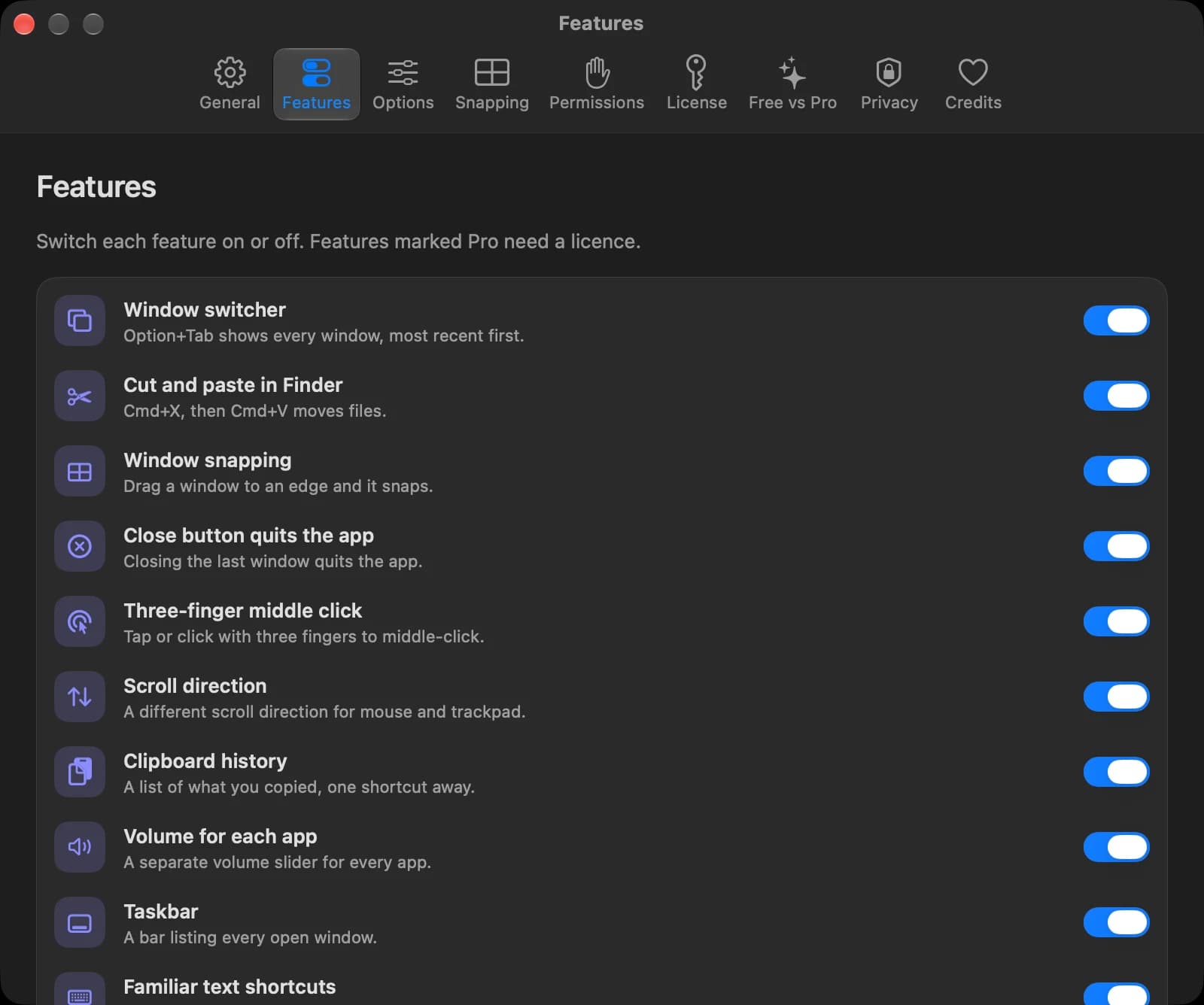
Each feature is a switch. Turn on the ones you want, and macOS only asks for the permissions those need.
Alt-Tab that lists windows
⌥ Tab shows every window you have open, most recent first, not just one entry per app.
Free + Pro
Cut and paste in Finder
⌘X on a file, ⌘V in another folder, and it moves. No Option key.
Pro
Snap windows to the edges
Drag a window to an edge or corner and it snaps into halves and quarters.
Free + Pro
Close means quit
Closing an app's last window quits it, and unsaved work still asks first.
Free + Pro
Middle click on a trackpad
Tap or click with three fingers to close a tab or open a link in a new one.
Pro
Mouse and trackpad, your way
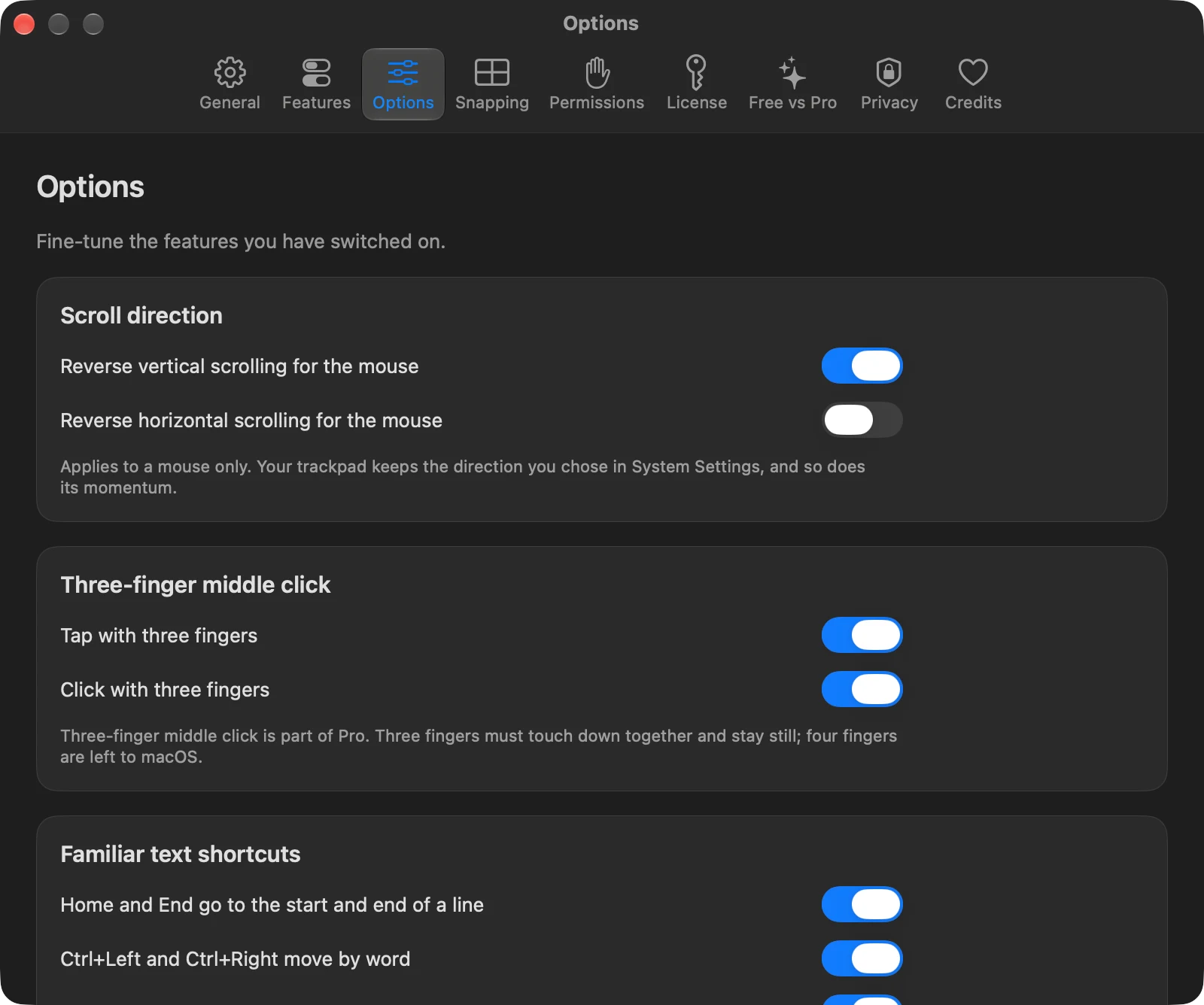
Reverse scrolling for the mouse only, and leave the trackpad natural.
Free
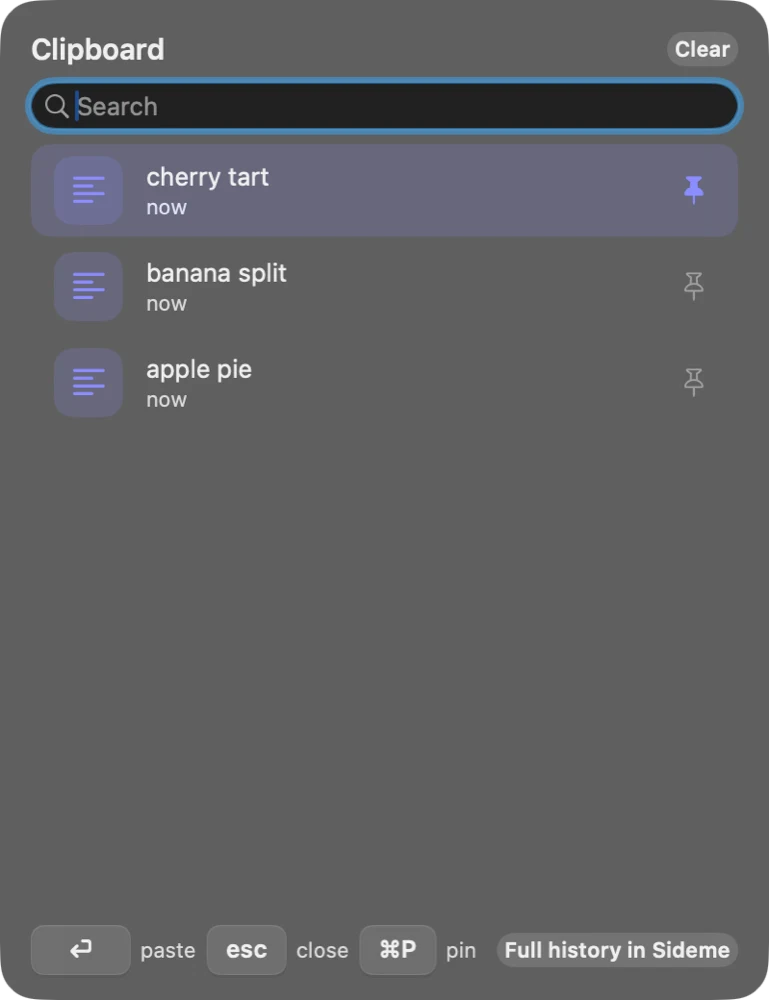
Clipboard history
⌃⌘V shows what you copied recently, ready to paste.
Free + Pro
Volume for each app
Turn the music down and leave the call up. Each app gets its own slider.
Pro
A taskbar
A slim bar of open windows. Click to focus, click again to minimize.
Pro
Home, End and Ctrl+arrows
Home and End go to the start and end of a line, and Ctrl+Left and Right move by word.
Free + Pro
02Switch windows
Find the window, not just the app.
Hold Option and tap Tab. Every window is listed, most recent first, so the one you were just in is one tap away. Let go and you are there.
- Free: a clean list of windows with icons and titles.
- Pro: live previews, type to search, minimized windows and other Spaces, and a size and layout you choose.
- Previews are optional: the switcher works without Screen Recording permission.
Weekly plan
Docs · Getting started
Inbox (3)
index.ts
Now Playing
03Snap windows
Drag to an edge. It fits.
Drag a window to the left or right edge for halves, to a corner for a quarter, to the top to maximize, or use a shortcut. Another shortcut puts a window back where it was.
Pro adds thirds, sixths, moving to the next display, your own layouts, and a different setup for each display. It works with the macOS tiling setting, and offers to turn the macOS version off if the two get in each other's way.
Left half ⌃⌥←
04Finder
Cut, paste, moved.
Select files in Finder, press ⌘X, open another folder and press ⌘V. The files move, the way you expect, with a small note that they are waiting.
It only acts on files in Finder. In a rename field or any text box, ⌘X still cuts text. The cut waits for about two minutes, and Esc cancels it.
- Budget.xlsx
- Report.pdf
Paste to move ⌘V
⌘V moves it. No Option key needed.
05Volume and taskbar
Control the mix. See every window.
Two Pro features for people who live in many windows.
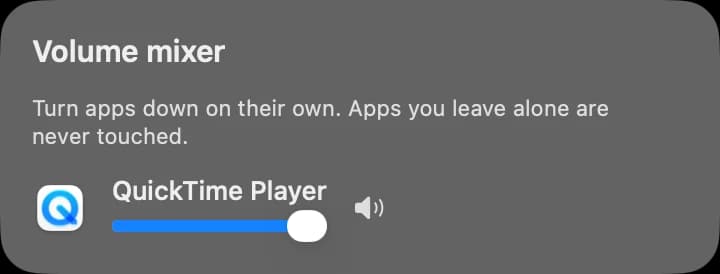
Volume mixer
Turn apps down on their own. Apps you leave alone are never touched.
A volume slider for every app
Turn the music down and leave the call at full volume. Only the apps you change are touched, and everything is restored the moment you switch the feature off or quit Acclimach. It never records or saves audio.
A taskbar of open windows
One entry per app on each display. Click to focus, click the active one to minimize, right-click for close and quit. Windows Acclimach places stay clear of it.
06Familiar keys
The editing keys you already know.
When you are typing in a text field, the keys you learned elsewhere do what you expect. Everywhere else they are left alone.
| You press | The Mac gets | Result | Plan |
|---|---|---|---|
| Home | ⌘ ← | Start of the line | Free |
| End | ⌘ → | End of the line | Free |
| Ctrl ← / Ctrl → | ⌥ ← / ⌥ → | Move by word | Free |
| Ctrl Backspace | ⌥ ⌫ | Delete the previous word | Pro |
| Ctrl Home / Ctrl End | ⌘ ↑ / ⌘ ↓ | Start or end of the document | Pro |
| Ctrl C, V, X, Z, A, S | ⌘ C, V, X, Z, A, S | Copy, paste, cut, undo, select all, save | Pro |
Never applied in Terminal, virtual machines or remote desktops. Pro can add more apps to leave alone.
07Settings
Set it up in two minutes.
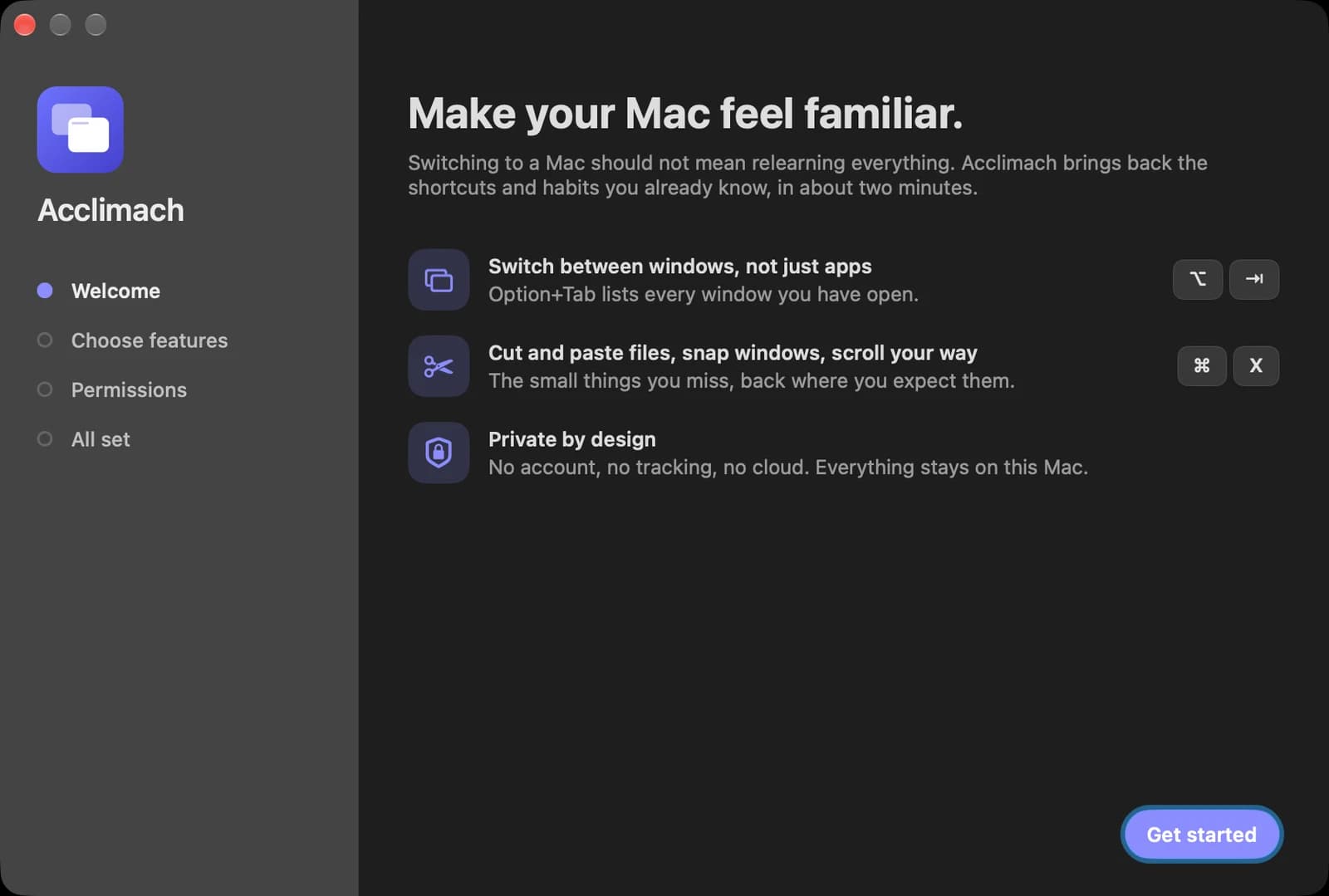
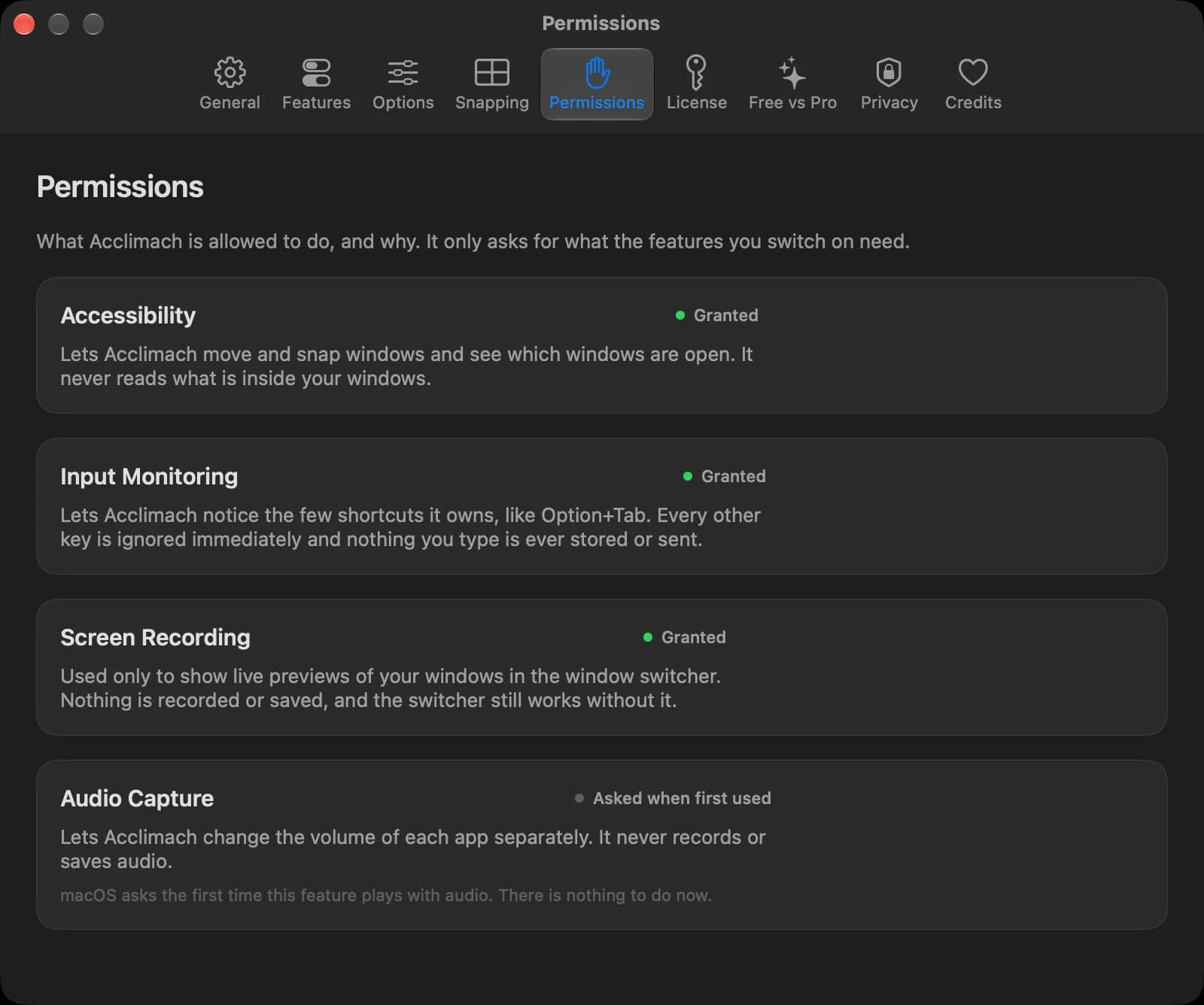
A welcome guide walks you through the features and the permissions. After that everything is in one settings window.
08Privacy
It sees your keys, so it keeps them to itself.
An app that watches shortcuts has to be trustworthy. Acclimach is built so you never have to take that on faith.
- 01
No account, no tracking
There is no sign-up, no analytics and no telemetry. Not even crash reports.
- 02
Your typing is not recorded
Acclimach notices the few shortcuts it owns and ignores every other key at once. Nothing you type is stored or sent.
- 03
Asks only when it needs to
macOS permissions are requested when you switch on a feature that needs one, with a plain-words reason first. Screen recording is optional and only used for window previews.
- 04
Almost never online
The only network use is checking a Pro license with our payment provider and checking for updates when you ask. The free app with no license key makes no license requests.
- 05
Careful by default
Shortcut changes only act while you are typing in a text field, and never in terminals, virtual machines or remote desktops.
- 06
Native and light
A universal app built with Swift and AppKit for Apple silicon and Intel. With every feature on it idles at under one percent of a CPU core.
09Pricing
Free to use. Pro to go all the way.
The free app is complete on its own, works offline and never expires. Pro is a one-time purchase that adds the rest, and one key works on up to three of your Macs.
Free
$0
Useful on its own, free forever.
- Window list with icons and titles
- Live window previews and type-to-search
- Minimized windows, other Spaces, multi-display options, size and layout
- ⌘X then ⌘V moves files
- Drag to the edges; halves, quarters, maximize
- Thirds, sixths, move to the next display
- Custom layouts and per-display profiles
- Closing the last window quits (with a safe default list)
- Edit the list and set rules per app
- Tap or click with three fingers
- Separate direction for mouse and trackpad
- Recent text items (last 10)
- Images and files, pins, search, paste as text, ignore list
- A slider and mute for every app
- A bar of open windows on every display
- Home, End and Ctrl+Left/Right
- Word delete, document jump, Ctrl+C/V/X/Z/A/S, per-app rules
Acclimach Pro
One-time$12.99
One-time purchase. No subscription.
- Window list with icons and titles
- Live window previews and type-to-search
- Minimized windows, other Spaces, multi-display options, size and layout
- ⌘X then ⌘V moves files
- Drag to the edges; halves, quarters, maximize
- Thirds, sixths, move to the next display
- Custom layouts and per-display profiles
- Closing the last window quits (with a safe default list)
- Edit the list and set rules per app
- Tap or click with three fingers
- Separate direction for mouse and trackpad
- Recent text items (last 500)
- Images and files, pins, search, paste as text, ignore list
- A slider and mute for every app
- A bar of open windows on every display
- Home, End and Ctrl+Left/Right
- Word delete, document jump, Ctrl+C/V/X/Z/A/S, per-app rules
Wondering how this compares with Rectangle, AltTab, Maccy and the other dedicated tools? Read the honest comparison.
Checkout is handled securely by Dodo Payments, and your license key activates Pro from Settings › License in Acclimach. Refund policy
Windows is a trademark of Microsoft Corporation. Acclimach is an independent product and is not affiliated with or endorsed by Microsoft. Mac and macOS are trademarks of Apple Inc.