
Binzide for macOS
Keep your Mac understandable.
A native, privacy-first macOS toolbox for storage analysis, cleanup, app uninstall, system monitoring, network inspection, annotated screenshots, and 20 focused local utilities.
Free download · macOS 14 Sonoma or later
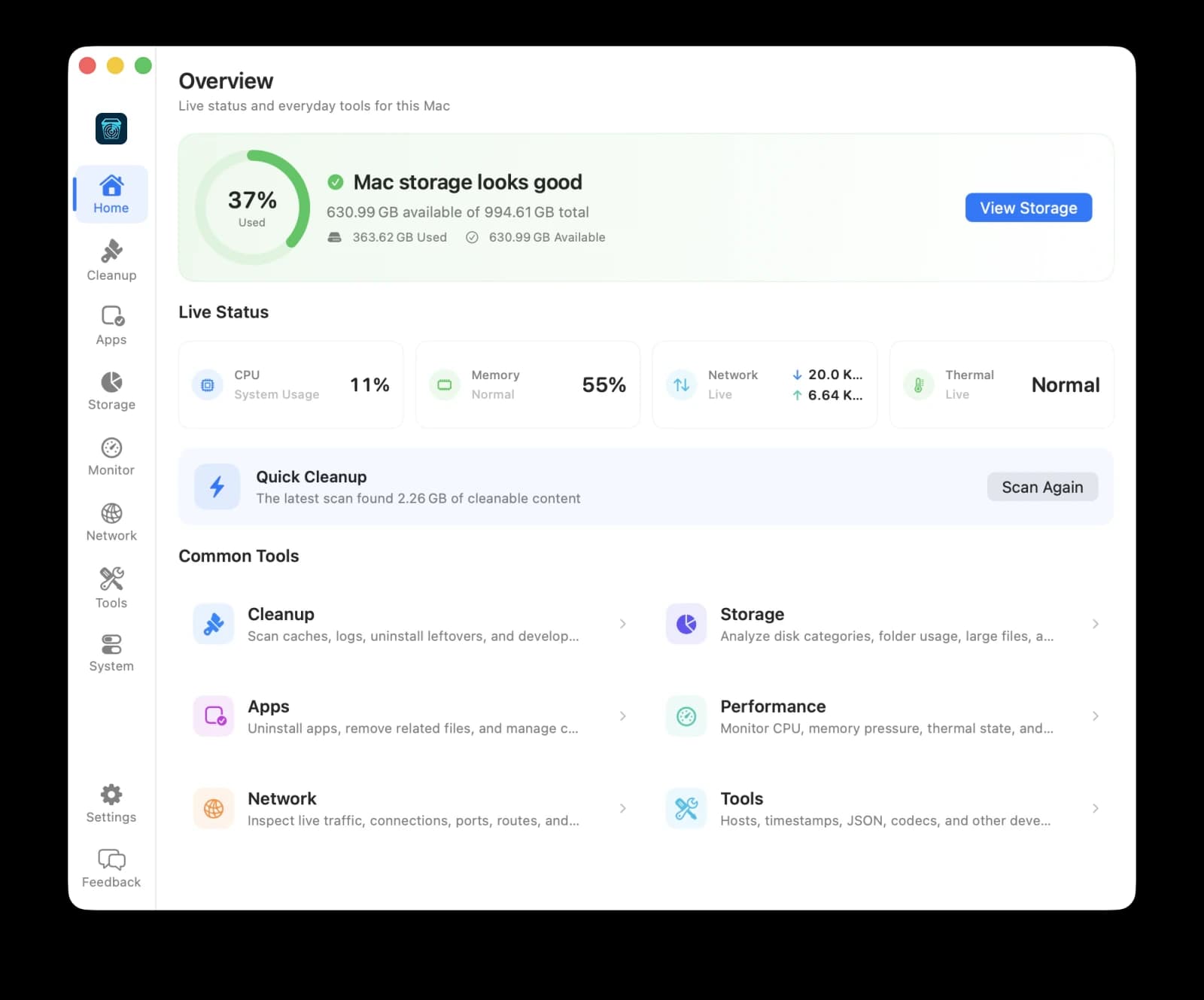
Workspaces
Everything your Mac needs, in one quiet app.
Binzide brings the utilities you'd normally hunt down separately into a single native app that stays out of your way.
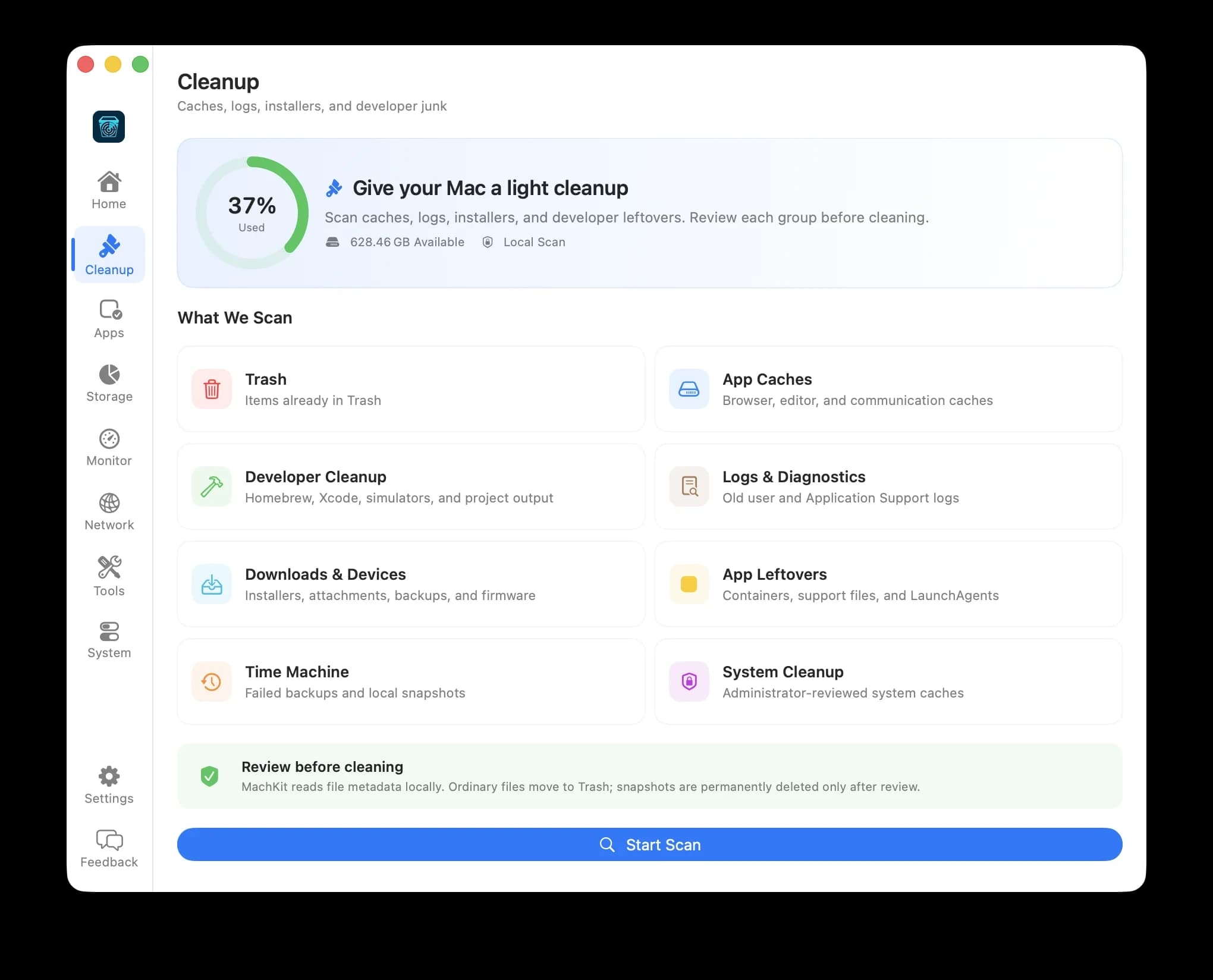
Cleanup
Find caches, logs, leftovers, and developer files. Risky items stay unchecked.
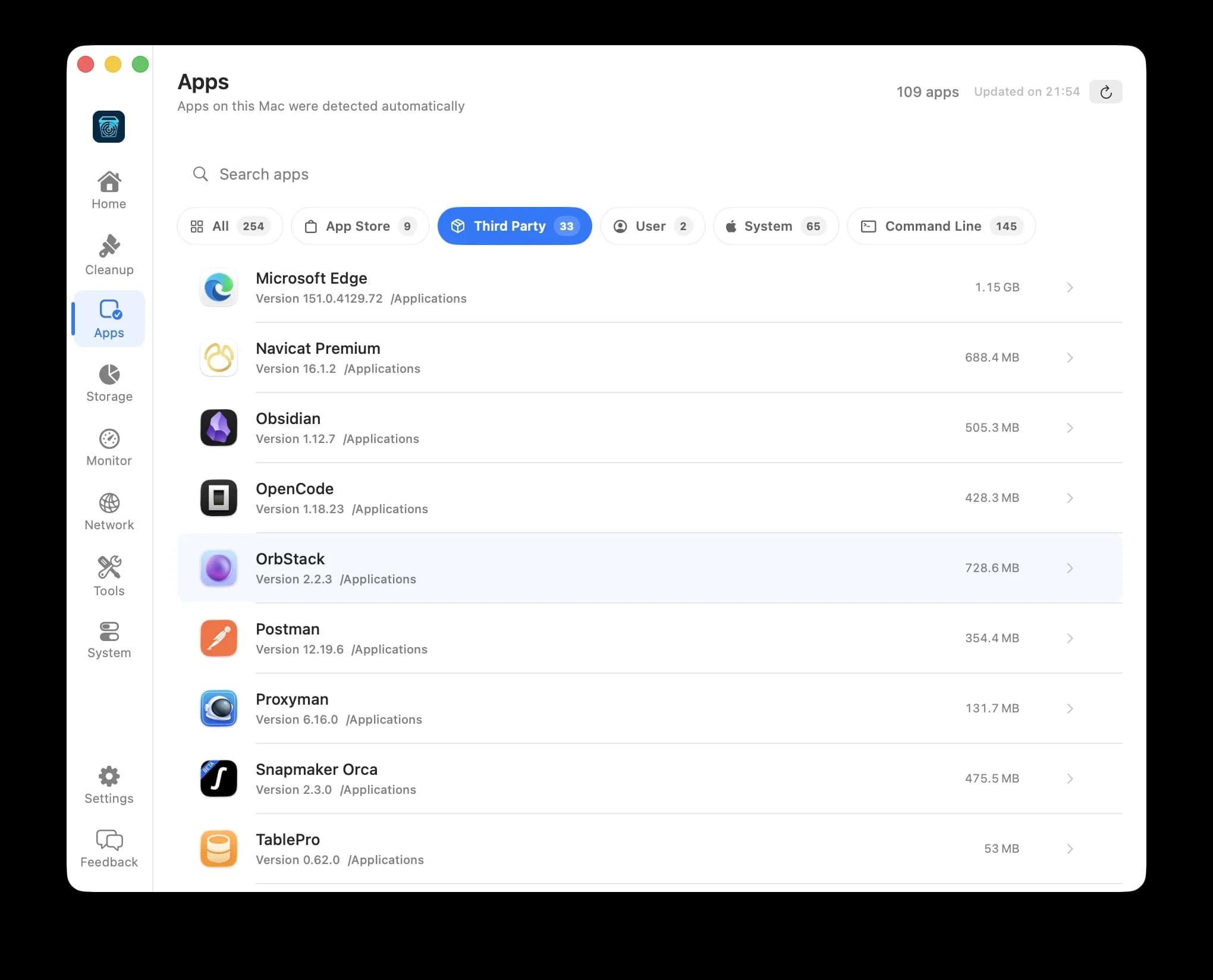
Apps
Uninstall apps and command-line tools along with their support files.
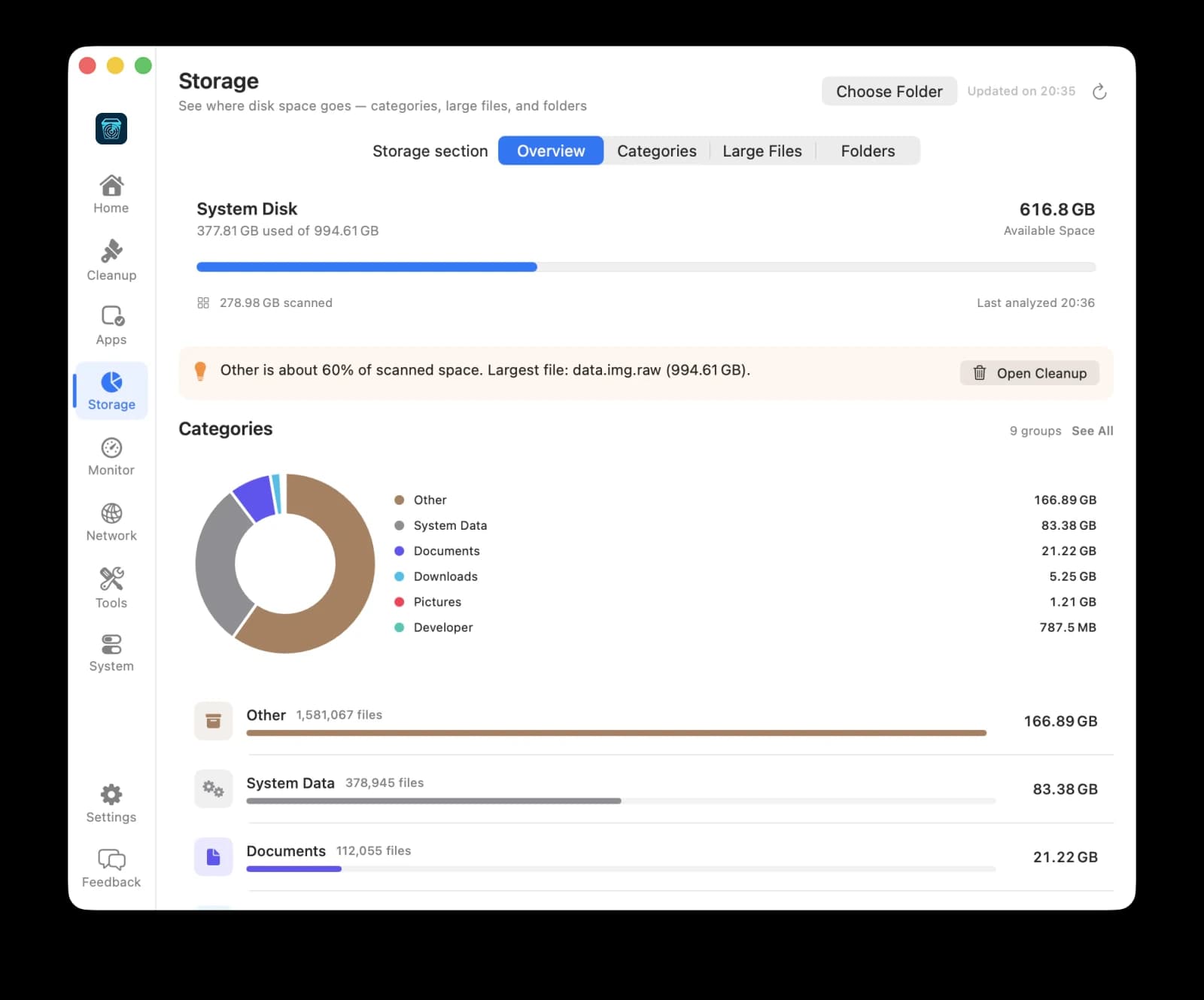
Storage
Understand disk usage by category and track down large folders.
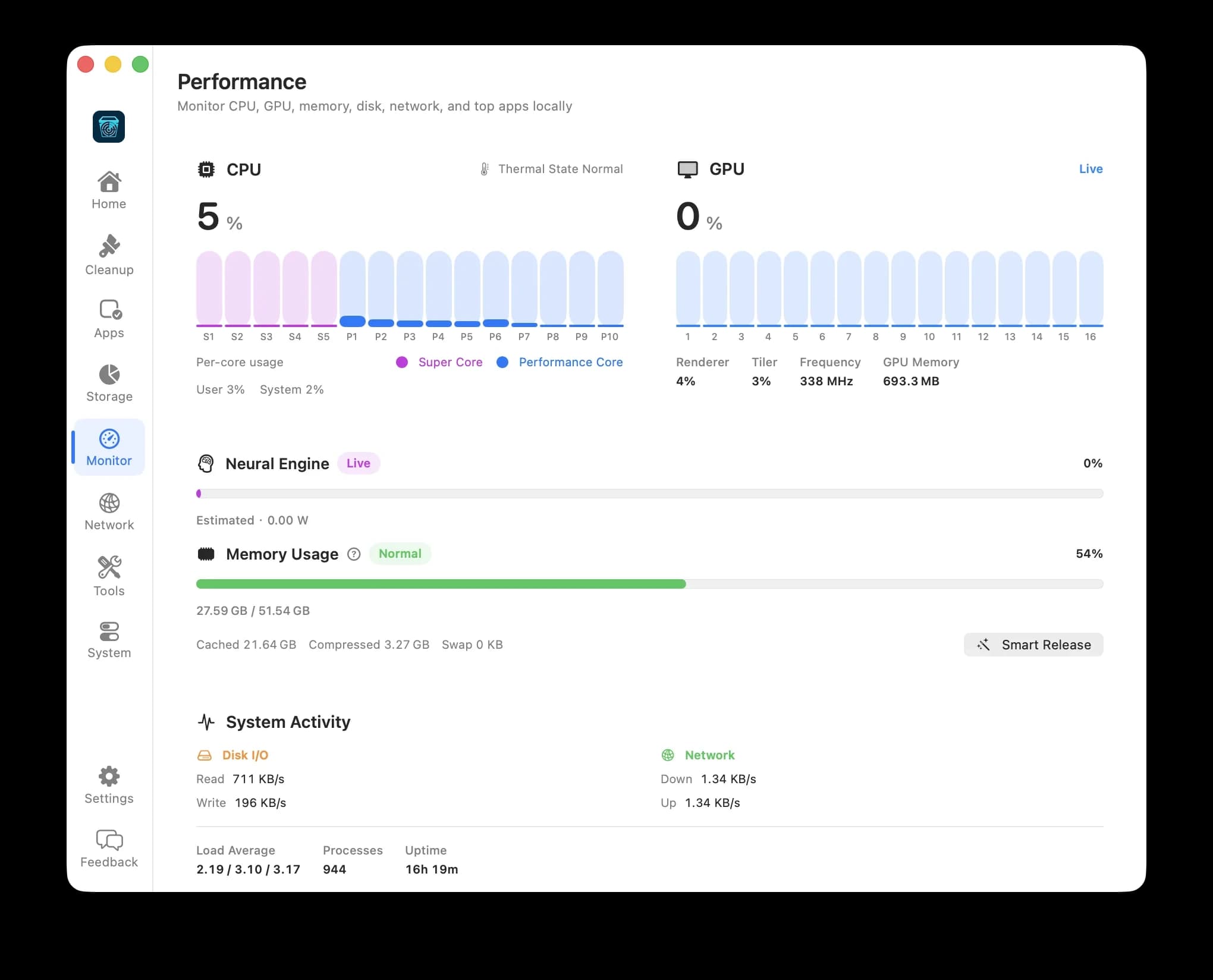
Performance
Follow CPU, memory pressure, thermal state, and the apps keeping your Mac busy.
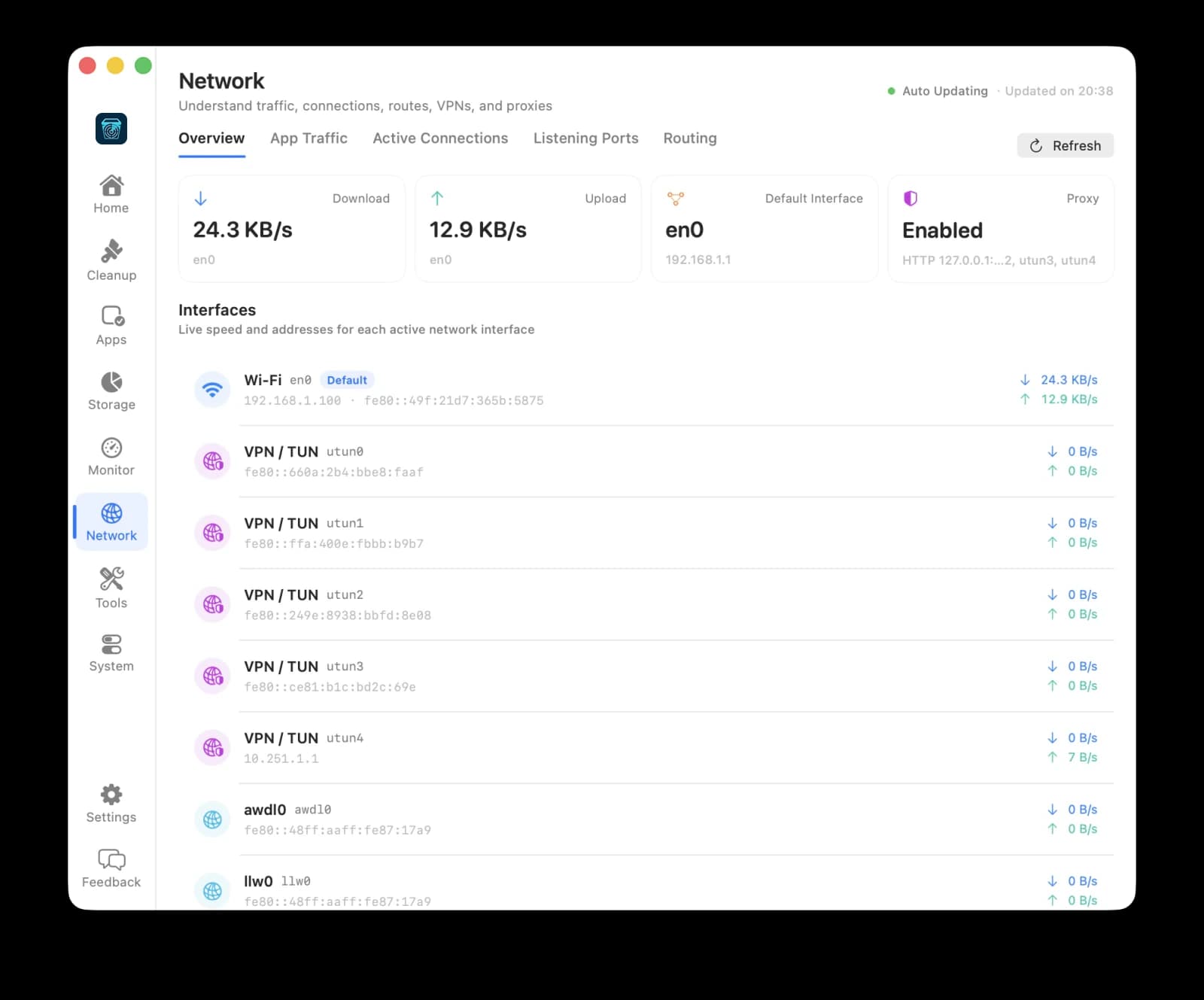
Network
Inspect traffic, connections, listening ports, routes, VPN/TUN, and proxies.
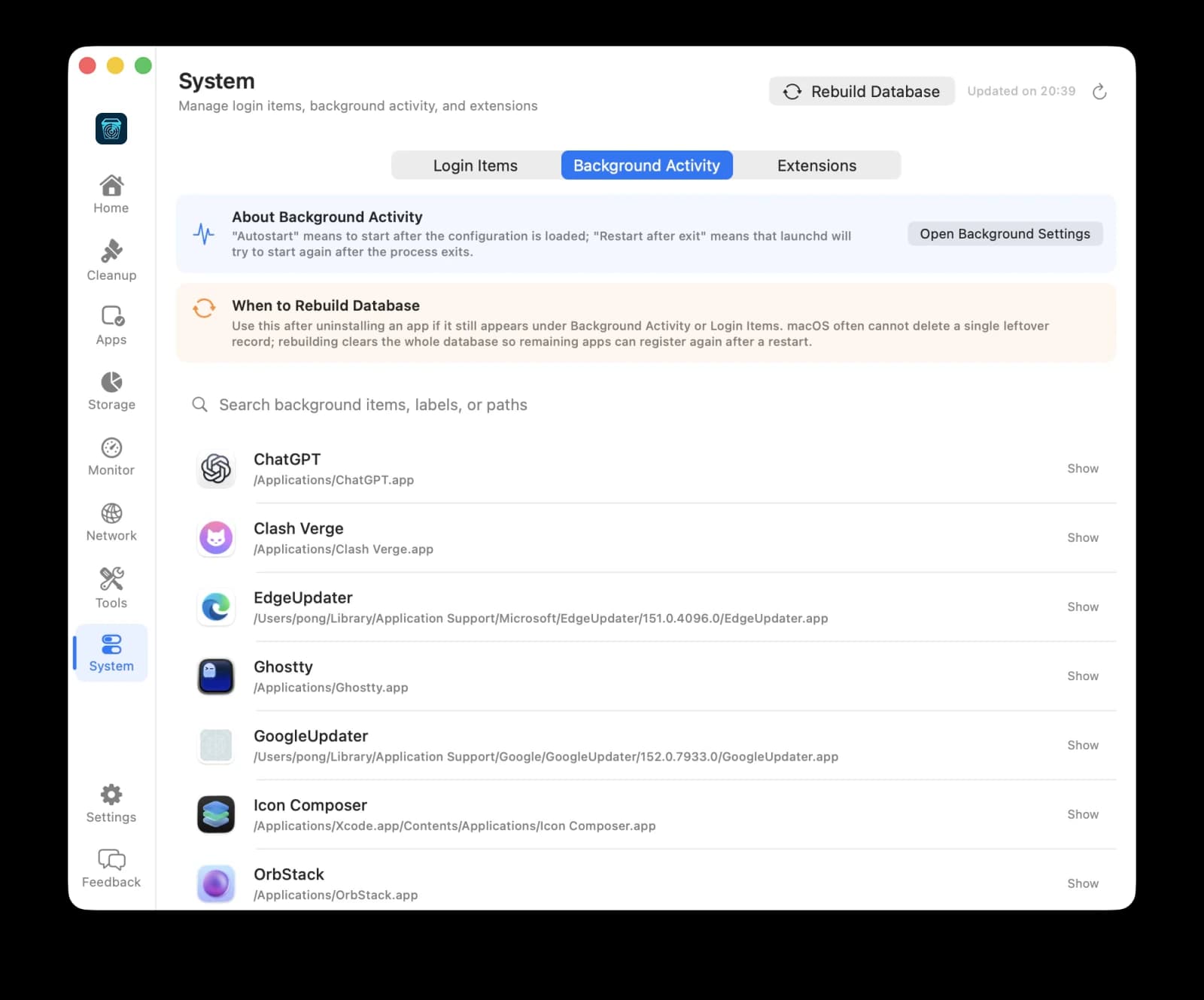
System
Review login items, background activity, and extensions in one place.
Always at hand
Built into the way you already use your Mac.
Binzide lives in your menu bar and answers to global shortcuts, so the right tool is a keystroke away.
Screenshot and annotate
Capture any region, freeze the desktop, then add arrows, shapes, highlights, mosaic, and text. Copy or save without opening another window.
Menu bar access
Jump to any workspace or tool straight from the menu bar.
Global shortcuts
Open your most-used utilities from anywhere with a shortcut you choose.

Tools
20 local utilities, one shortcut away.
The everyday developer and power-user tools you'd usually paste into a random website, running entirely on your Mac.
Switch /etc/hosts mappings safely
Dates, Unix time, and time zones
Format, minify, sort, and query
Base64, URL, HTML, Unicode, hashes
AES, ChaCha, RSA, SM2/SM4 locally
UUID v1–v7, ULID, Nano ID
Matches, groups, and replacements
Side-by-side line highlighting
IPv4 and IPv6 range math
Build schedules, preview runs
Switch /etc/hosts mappings safely
Dates, Unix time, and time zones
Format, minify, sort, and query
Base64, URL, HTML, Unicode, hashes
AES, ChaCha, RSA, SM2/SM4 locally
UUID v1–v7, ULID, Nano ID
Matches, groups, and replacements
Side-by-side line highlighting
IPv4 and IPv6 range math
Build schedules, preview runs
Switch /etc/hosts mappings safely
Dates, Unix time, and time zones
Format, minify, sort, and query
Base64, URL, HTML, Unicode, hashes
AES, ChaCha, RSA, SM2/SM4 locally
UUID v1–v7, ULID, Nano ID
Matches, groups, and replacements
Side-by-side line highlighting
IPv4 and IPv6 range math
Build schedules, preview runs
Switch /etc/hosts mappings safely
Dates, Unix time, and time zones
Format, minify, sort, and query
Base64, URL, HTML, Unicode, hashes
AES, ChaCha, RSA, SM2/SM4 locally
UUID v1–v7, ULID, Nano ID
Matches, groups, and replacements
Side-by-side line highlighting
IPv4 and IPv6 range math
Build schedules, preview runs
HEX, RGB, HSL, and contrast checks
Generate codes from text or URLs
Parse and rebuild query strings
Bytes, bases, time, and more
Convert and resize to a target
Decode, inspect, and create tokens
Unix permission modes, explained
PEM validity, SANs, fingerprints
Build and explicitly run requests
TCP ports and ranges with progress
HEX, RGB, HSL, and contrast checks
Generate codes from text or URLs
Parse and rebuild query strings
Bytes, bases, time, and more
Convert and resize to a target
Decode, inspect, and create tokens
Unix permission modes, explained
PEM validity, SANs, fingerprints
Build and explicitly run requests
TCP ports and ranges with progress
HEX, RGB, HSL, and contrast checks
Generate codes from text or URLs
Parse and rebuild query strings
Bytes, bases, time, and more
Convert and resize to a target
Decode, inspect, and create tokens
Unix permission modes, explained
PEM validity, SANs, fingerprints
Build and explicitly run requests
TCP ports and ranges with progress
HEX, RGB, HSL, and contrast checks
Generate codes from text or URLs
Parse and rebuild query strings
Bytes, bases, time, and more
Convert and resize to a target
Decode, inspect, and create tokens
Unix permission modes, explained
PEM validity, SANs, fingerprints
Build and explicitly run requests
TCP ports and ranges with progress
Privacy and safety
Private by default. Careful by design.
A cleanup tool has deep access to your Mac, so we hold Binzide to a strict standard.
No cloud, no analytics
Binzide has no analytics service or cloud backend. Scans read local file metadata only.
Trash, not delete
Removable items go to the Trash unless the app clearly labels an action as permanent.
Nothing runs behind your back
Network diagnostics and cURL Lab send requests only when you start them, directly from your Mac.
Careful defaults
Risky items stay unchecked, and administrator access is requested only for clear, specific actions.
Pricing
Start free. Go Pro when you're ready.
Binzide is free to download and use. Pro unlocks unlimited cleaning and the full set of advanced tools.
Free
$0
Everything you need to get started.
- Storage analysis and cleanup
- Clean up to 500 MB at a time
- Apps, Performance, Network, and System
- Essential developer tools
- Advanced tools like JWT Lab and Regex Lab
- Unlimited cleaning
Binzide Pro
Recommended$11.99
For people who live on their Mac.
- Everything in Free
- Unlimited disk cleaning
- All 20 developer tools, including JWT Lab and Regex Lab
- Priority email support
14-day money-back guarantee. Checkout is handled securely by Dodo Payments, and your license key activates Pro from the License tab in Binzide. Refund policy
What do I need to run Binzide?
macOS 14 Sonoma or later. Some user folders may need Full Disk Access, which you can grant in System Settings. Editing /etc/hosts asks for administrator authentication only when you apply a change.
Does Binzide send my data anywhere?
No. There's no account, analytics service, or cloud backend. Scan results stay on your Mac. The only network requests are the ones you explicitly start, such as network diagnostics, cURL Lab, or activating a Pro license.
Can Binzide delete something important?
Binzide is conservative by design. Risky items start unchecked, protected system paths are blocked, and removed items go to the Trash so you can restore them.
How does Pro work?
Buy a license key, then open License in the Binzide sidebar and paste it in. The key is stored securely in your macOS Keychain, and you can deactivate it on one Mac to move it to another.