Notchware for macOS
Notchware: Make your MacBook notch useful.
A native macOS app that turns the MacBook notch into a live island for Now Playing, battery, volume, brightness, Focus, and network status, with Codex, Claude Code, and Cursor alerts in Pro.
Free · macOS 14.6 Sonoma or later · Install guide
01In the notch
The status you check most, right where you look.
Notchware turns the space around the notch into a live island that shows what's happening and gets out of the way.
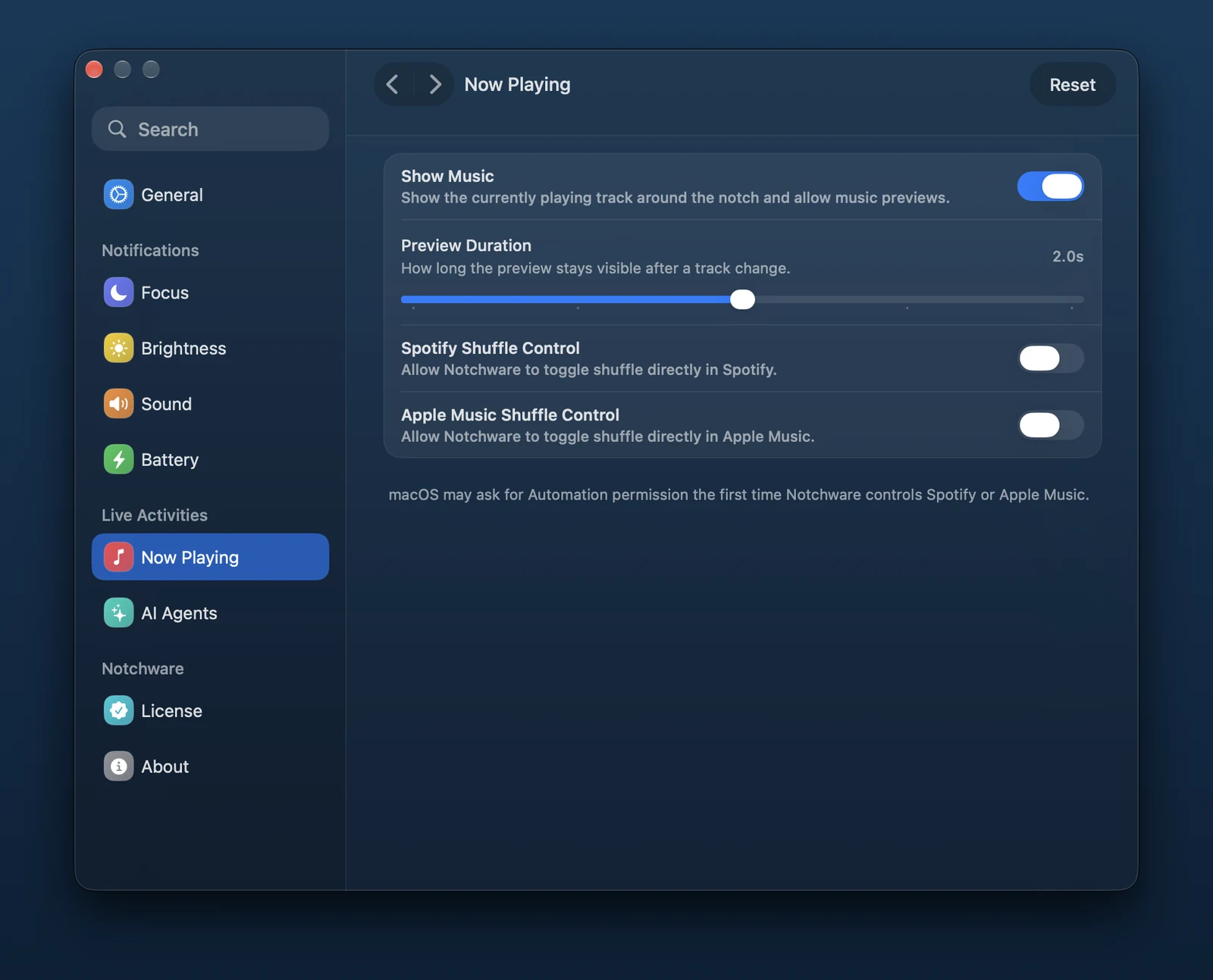
Now Playing
Artwork, a live equalizer, and playback controls for Spotify, Apple Music, and other media sources.
Battery
Charging and low-battery status, with a threshold you choose.
Volume
See volume changes in the notch as a line or a percentage.
Brightness
See brightness changes as a line or a percentage.
Focus
A short animation when a Focus mode turns on or off.
Network status
Know when Wi-Fi or Personal Hotspot connects and when internet access returns.
02Notchware Pro
Your AI agents, in the notch.
Stop checking the terminal. Notchware Pro tells you the moment an agent needs you, and brings your music to the Lock Screen.
- AI agent alerts
- Codex, Claude Code, and Cursor tell you in the notch when they need approval or finish a task, with optional sounds.
- Lock Screen music
- Control what's playing right from the Lock Screen.
- Hide your Lock Screen profile
- Your photo and name are hidden while Lock Screen artwork is expanded.
Illustration. You review each hook command in Settings › AI Agents before it's installed.
03Settings
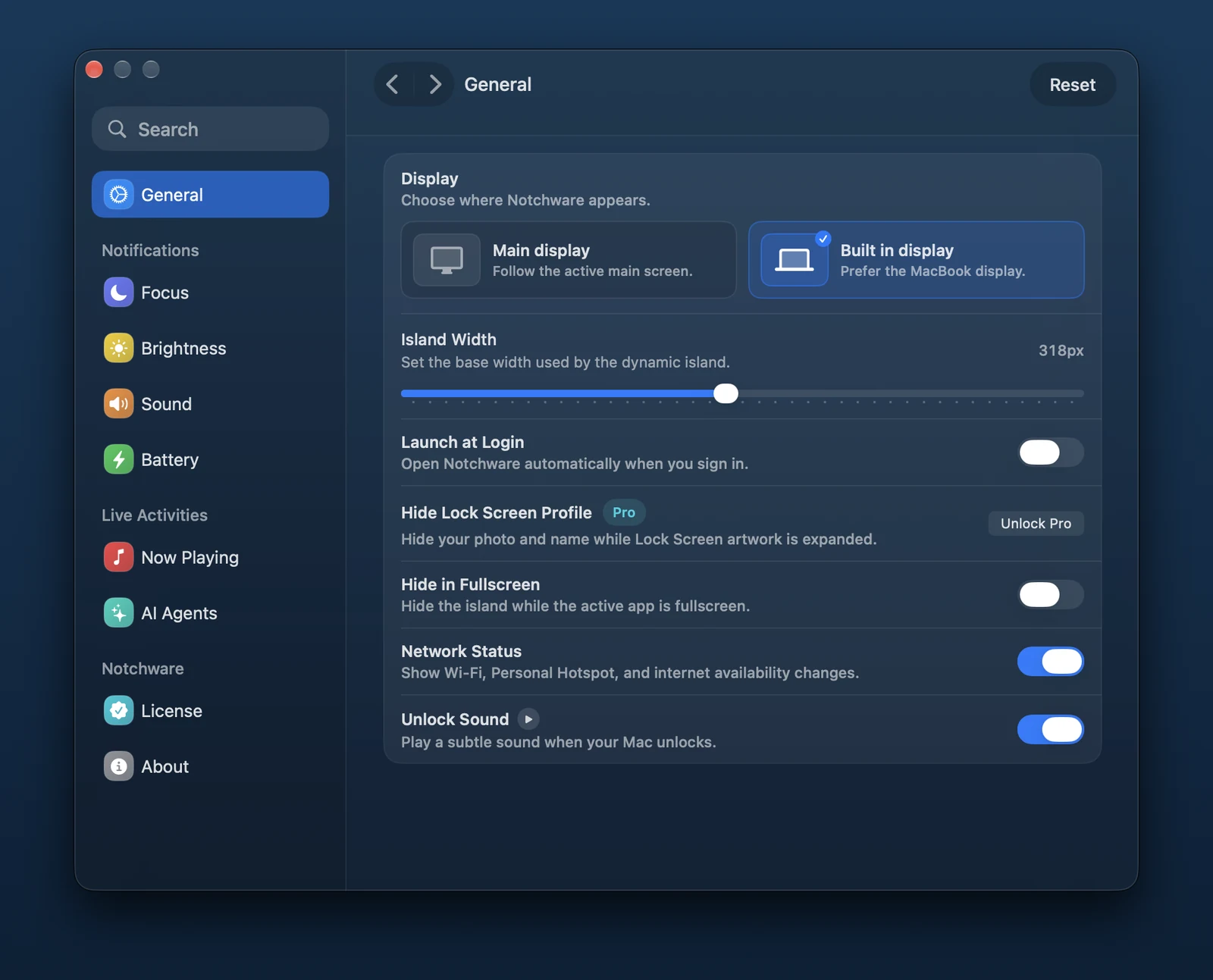
Tuned to the way you work.
Pick the display, set the island's width, and choose exactly which indicators appear.
04Privacy
Private by default.
Notchware sits at the top of your screen all day, so it stays quiet about everything else.
- 01
No account, no analytics
Notchware runs locally. There's no sign-in, analytics service, or cloud backend.
- 02
Transparent agent hooks
AI alerts use local hook commands you can inspect before installing. They write small status events and never read your prompts or responses.
- 03
Native and light
Built with SwiftUI for macOS, running on Apple silicon and Intel.
- 04
You're in control
Every indicator can be turned off, and Notchware can hide itself while an app is fullscreen.
05Pricing
Free to use. Pro for less than a coffee.
Notchware is free to download and use. Pro is a one-time purchase that unlocks AI agent alerts and Lock Screen features.
Free
$0
A better notch, free forever.
- Now Playing controls
- Battery, volume, brightness, and Focus
- Wi-Fi and internet status
- Display and fullscreen options
- Codex, Claude Code, and Cursor alerts
- Lock Screen features
Notchware Pro
One-time$3.99
One-time purchase. No subscription.
- Everything in Free
- Codex, Claude Code, and Cursor alerts
- Approval and completion sounds
- Lock Screen music controls
- Hide your Lock Screen profile
14-day money-back guarantee. Checkout is handled securely by Dodo Payments, and your license key activates Pro from Settings › License in Notchware. Refund policy