Sideme for macOS
Sideme: Your clipboard history, one shortcut away.
A native macOS clipboard manager. Press ⌘⇧V and everything you copied slides up as color-coded cards: text, links, images, files, and colors, ready to paste with a keystroke.
Free · macOS 14 Sonoma or later · Install guide
01The strip
Everything you copied, at the bottom of your screen.
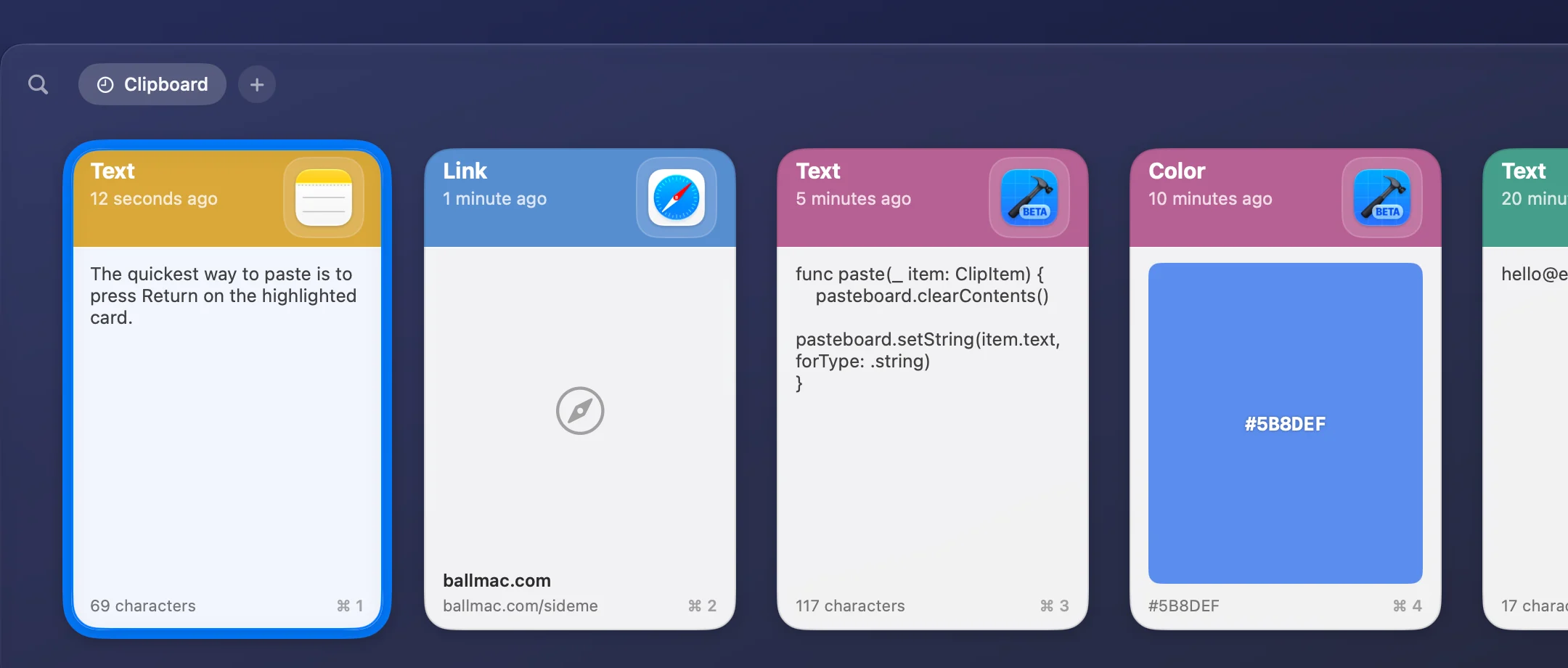
Press ⌘⇧V and your clipboard history slides up over whatever you're doing. Pick a card, press Return, and it's pasted.
Everything you copy
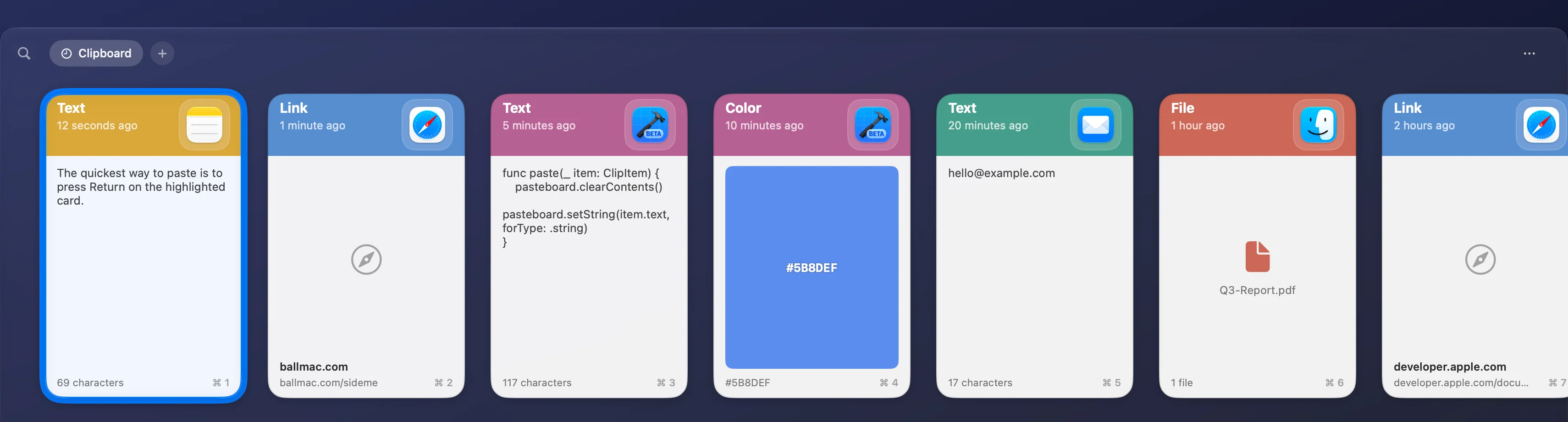
Plain text, rich text, links, images, files, and colors, each on a card tinted by the app it came from.
Search as you type
Open the strip and start typing to filter your clips.
Quick Paste
Press ⌘1 to ⌘9 to paste one of the first nine clips. Add ⇧ to paste it as plain text.
Paste where you were
Press Return and the clip goes straight into the app you were using. No extra ⌘V.
Edit, rename, preview
Fix a typo in a copied snippet, give a card a title, preview it full size, share it, or drag it into another app.
Privacy controls
Password-manager clips are skipped, you can exclude any app, and you can pause capture at any time.
02Keyboard first
Never reach for the mouse.
Every action in the strip has a key. The shortcut to open it and the Quick Paste modifiers are yours to change.
- ⌘⇧V
- Show or hide the strip (you can change it)
- ← →
- Move between clips
- Return
- Paste the selected clip
- ⌘1 – ⌘9
- Quick Paste; add ⇧ for plain text
- Type
- Search
- ⌫ or ⌘⌫
- Delete the selected clip
- Esc
- Clear the search, then close
03Sideme Pro
All of your history, on all of your Macs.
One small payment unlocks the whole history, Pinboards for the clips you reuse, and sync through iCloud Drive.
- Full history
- Sideme Free shows your latest 50 clips. Pro shows everything you keep, and you choose how much: a number of clips, or clips newer than a day, a week, a month, or up to a year.
- Pinboards
- Save the clips you reuse into named, color-tagged boards that history never prunes.
- Sync through your iCloud Drive
- Keep history and Pinboards in step across your Macs. Sideme stores them in a folder in your own iCloud Drive; there's no Ballmac server involved.
04Settings
Set it up once, then forget it's there.
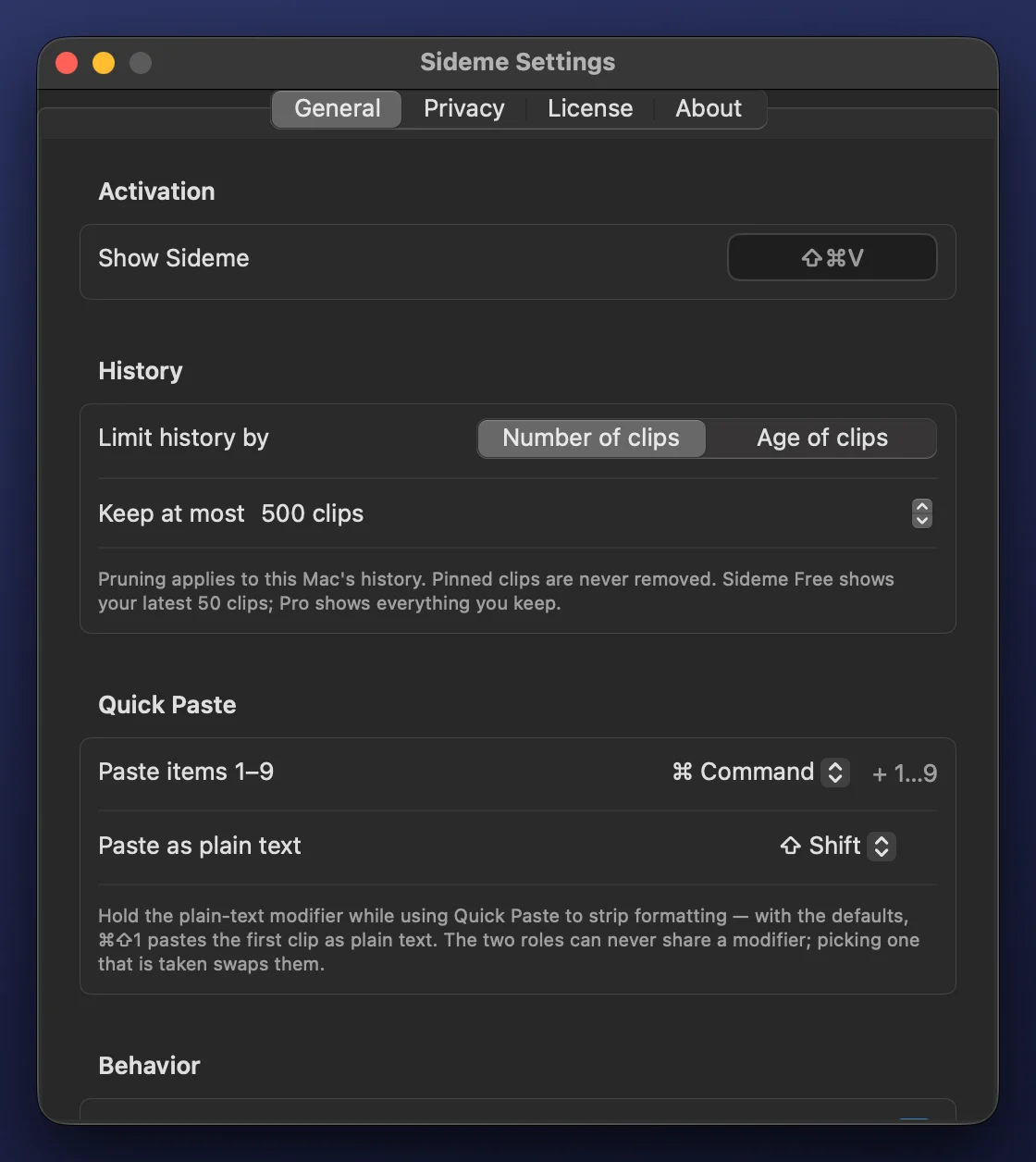
Choose the shortcut, how much history to keep, and how Quick Paste works. Sideme lives in the menu bar.
05Privacy
Your clipboard is personal.
A clipboard manager sees everything you copy, so Sideme keeps it on your Mac and out of our hands.
- 01
Stays on your Mac
Your history lives in a folder only your user account can read. No account, no analytics, no cloud backend.
- 02
Passwords stay out
Clips that password managers mark as concealed are never saved. It's on by default.
- 03
Exclude any app
Nothing copied while an excluded app is in front is recorded.
- 04
Native and light
A single universal app built with Swift and SwiftUI, for Apple silicon and Intel.
06Pricing
Free to use. Pro for the price of a coffee.
Sideme is free to download and use. Pro is a one-time purchase that unlocks full history, Pinboards, and iCloud Drive sync.
Free
$0
A fast clipboard history, free forever.
- Your latest 50 clips
- Search, Quick Paste, and plain-text paste
- Text, links, images, files, and colors
- Excluded apps and password filtering
- Full history and retention rules
- Pinboards
- iCloud Drive sync
Sideme Pro
One-time$2.99
One-time purchase. No subscription.
- Everything in Free
- Full history and retention rules
- Pinboards
- Sync through your own iCloud Drive
14-day money-back guarantee. Checkout is handled securely by Dodo Payments, and your license key activates Pro from Settings › License in Sideme. Refund policy